Two taps. The order's in.
Iced latte, large, oat milk, extra shot. Size, milk and shots are buttons your barista taps, not handwriting on a cup.
Matbakh runs your counter on a tablet you already own: orders with every modifier, customer receipts and bar tickets on your 80mm printer, stock that counts itself down, and the margin on every item you sell.
No commission per order · Setup and training included
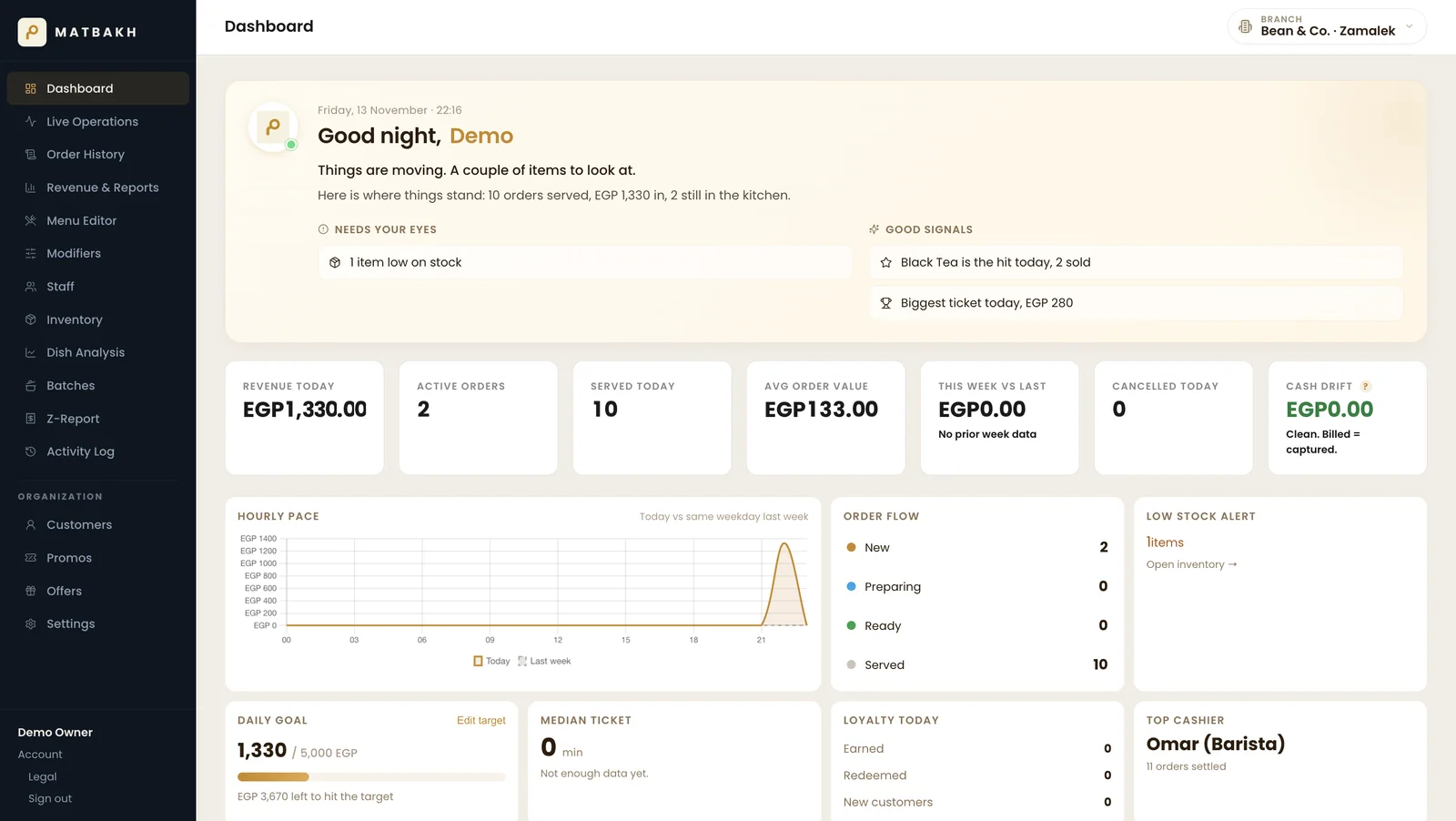
Iced latte, large, oat milk, extra shot. Size, milk and shots are buttons your barista taps, not handwriting on a cup.
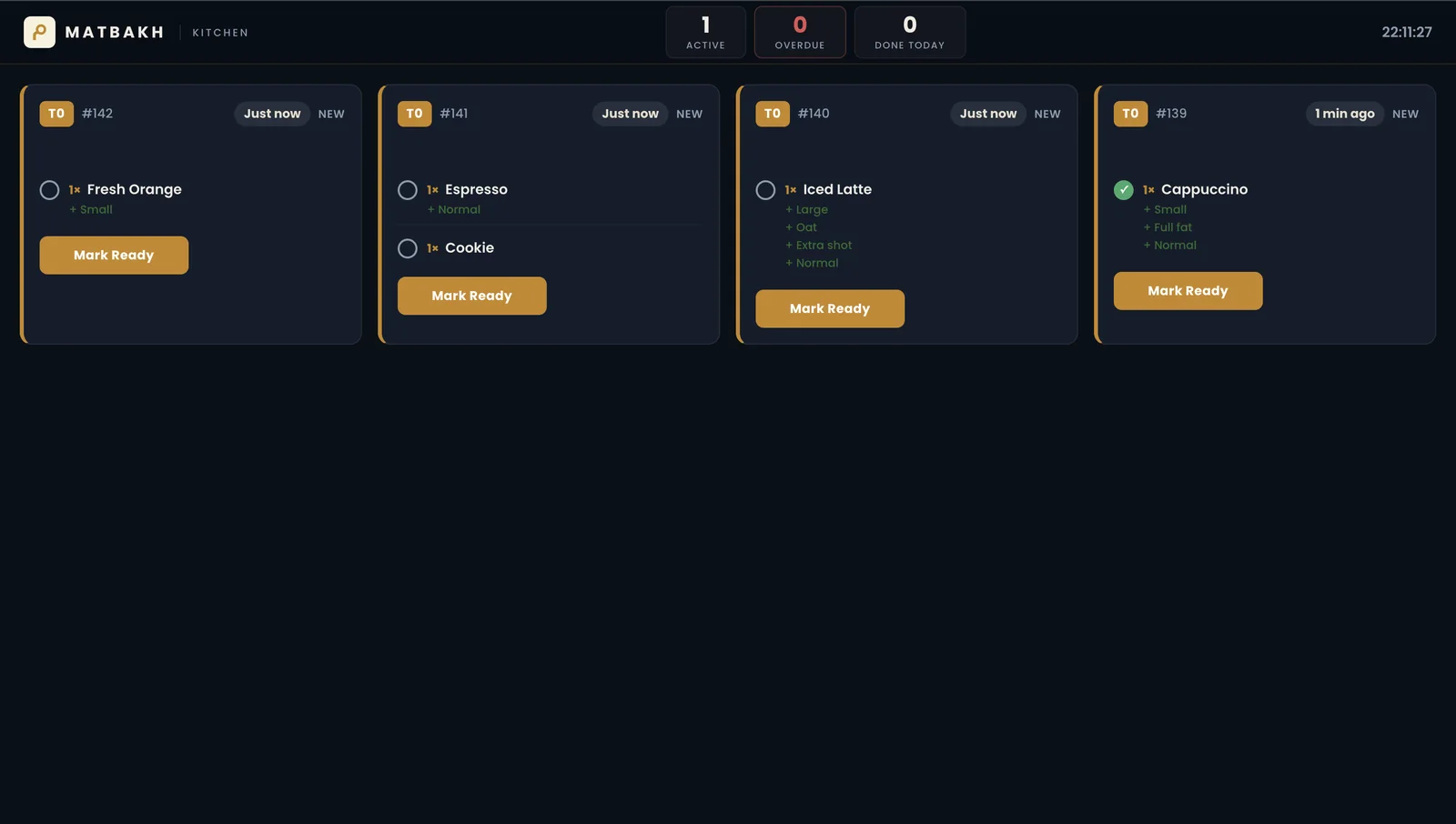
The drink shows on the bar screen (Standard), and the customer's receipt and the bar ticket print together on your 80mm roll.
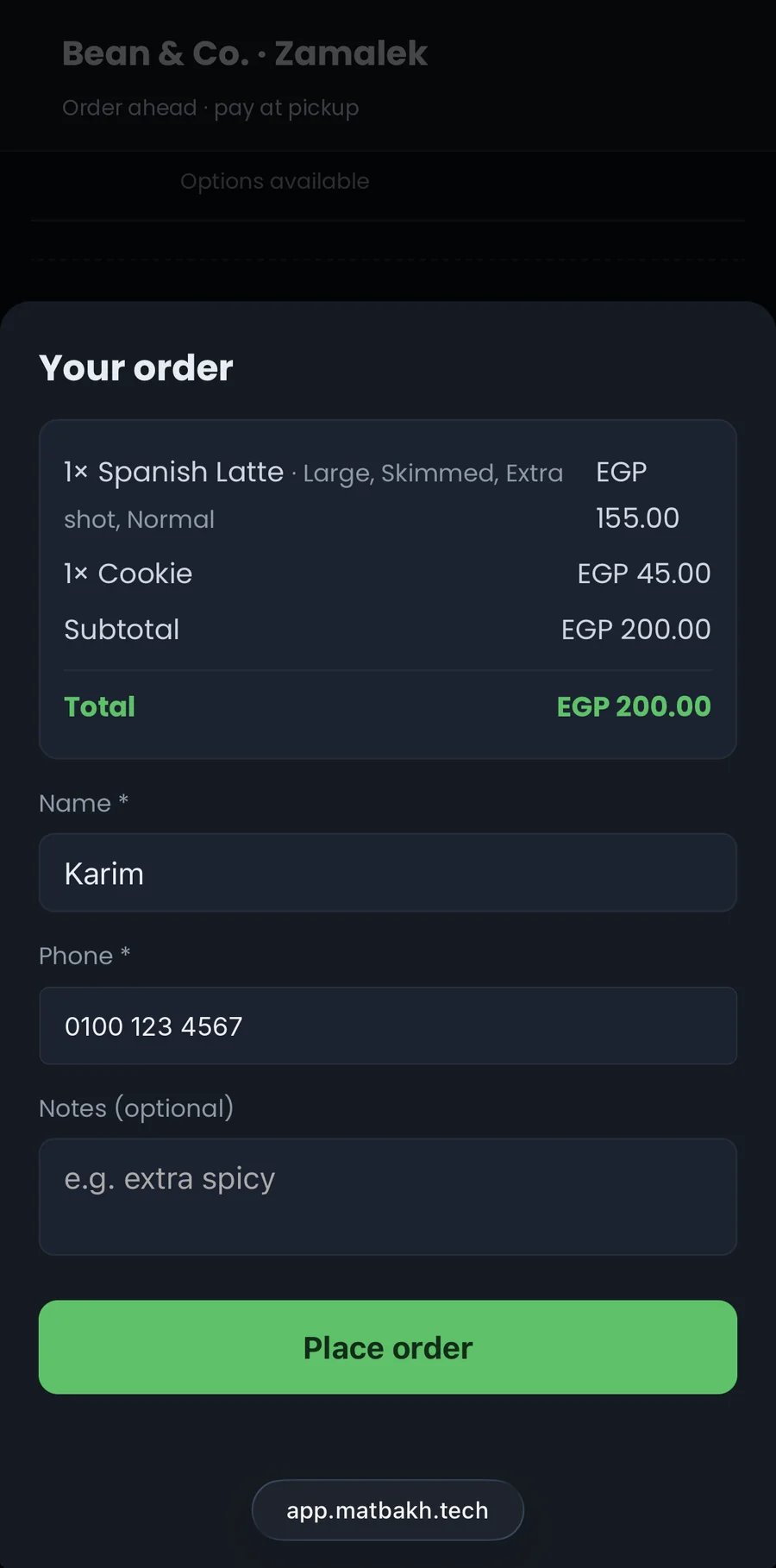
Customers scan your QR, pick their items, pay at the counter and collect. The order is already on your screen when they arrive.
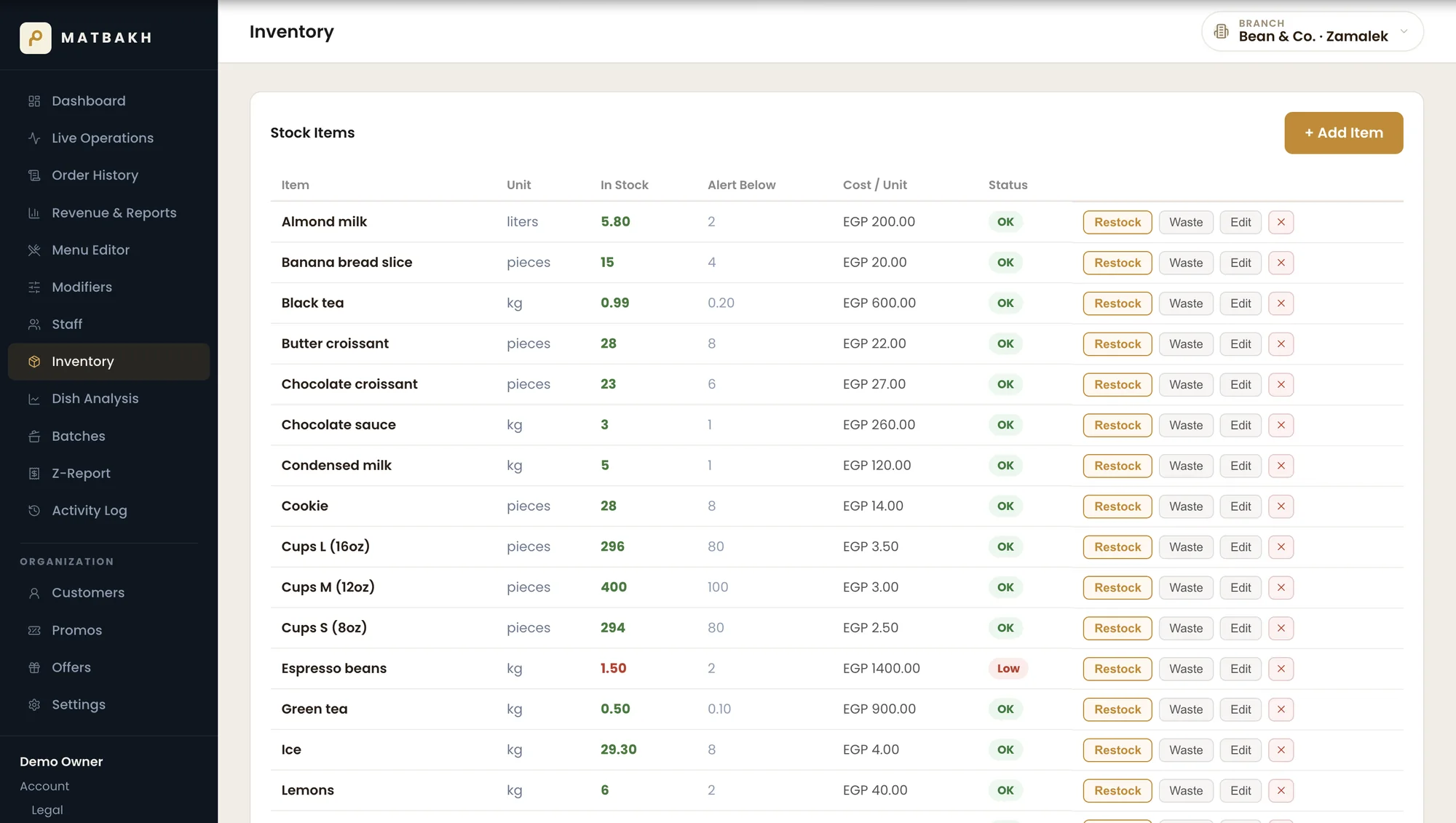
Every sale comes off the shelf on its own, and you get a low-stock alert before a line runs out.
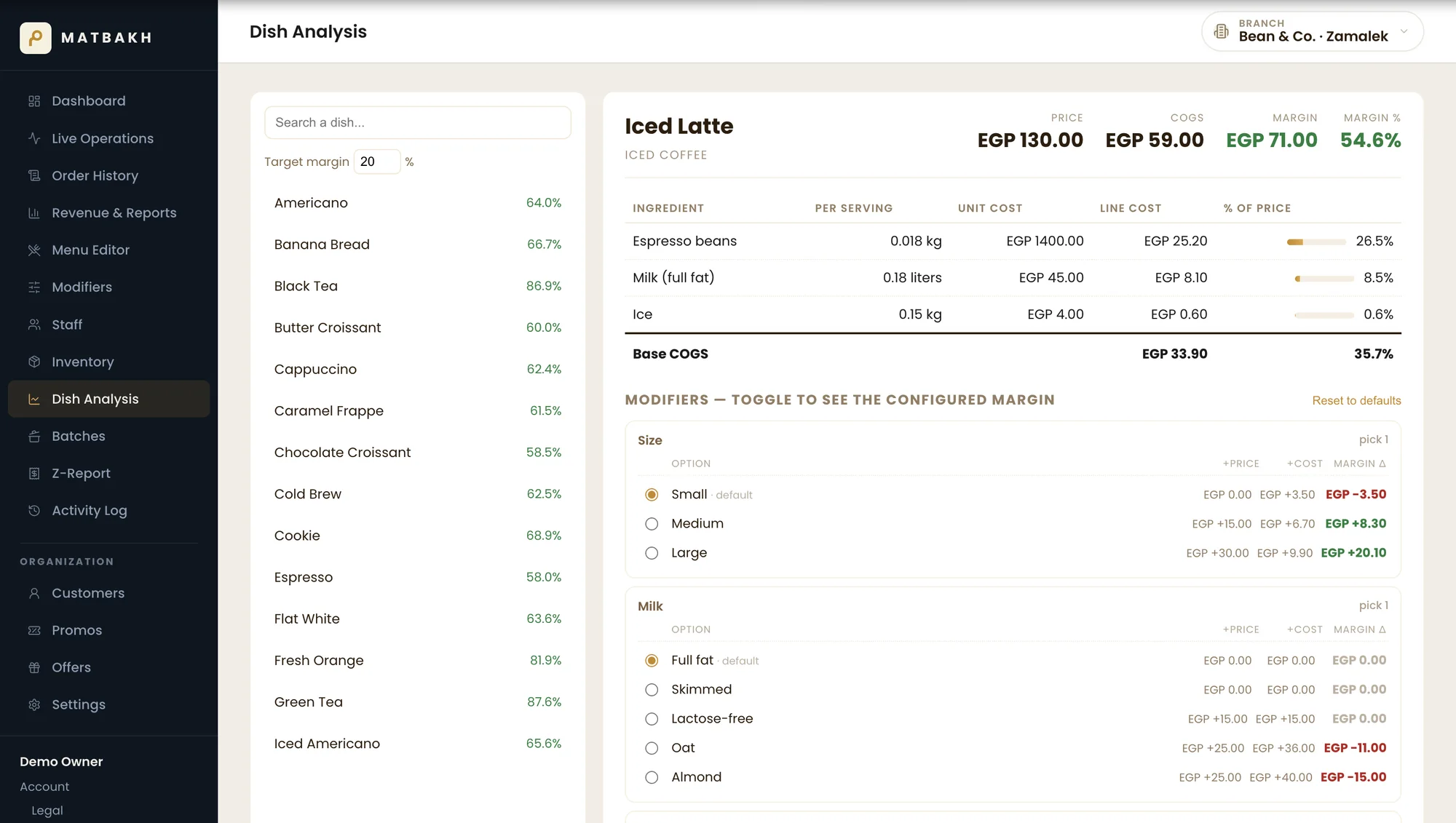
Cost and margin on every item you sell, modifiers included. Oat milk adds EGP 25 to the price and EGP 36 to the cost: you'd never see that in a notebook.
The Z-report splits the day by payment method and by cashier. The drawer matches, or you know exactly where it doesn't.
See it on your own menuSix people deep, one person taking the order and making it. Three more looked at the line and walked to the place next door, and nobody counted those three.
Prices from memory, costs in your head, and the margin on a new drink is a guess. You find out it was losing you money when the month closes, if you find out at all.
The cash doesn't match what's written down. You don't know which shift, which cashier, or which day it started.
Priced for a chain: a setup fee, hardware you have to buy from them, and a contract written for a forty-table restaurant. You have one counter.
Matbakh fixes all of it.
Each person in your shop gets a screen built for their job, from the bar to the owner's phone.
Tap items on the left, cart builds on the right. One screen, every payment method: Cash, Card, InstaPay, Wallet. Loyalty attach + redeem in two taps.
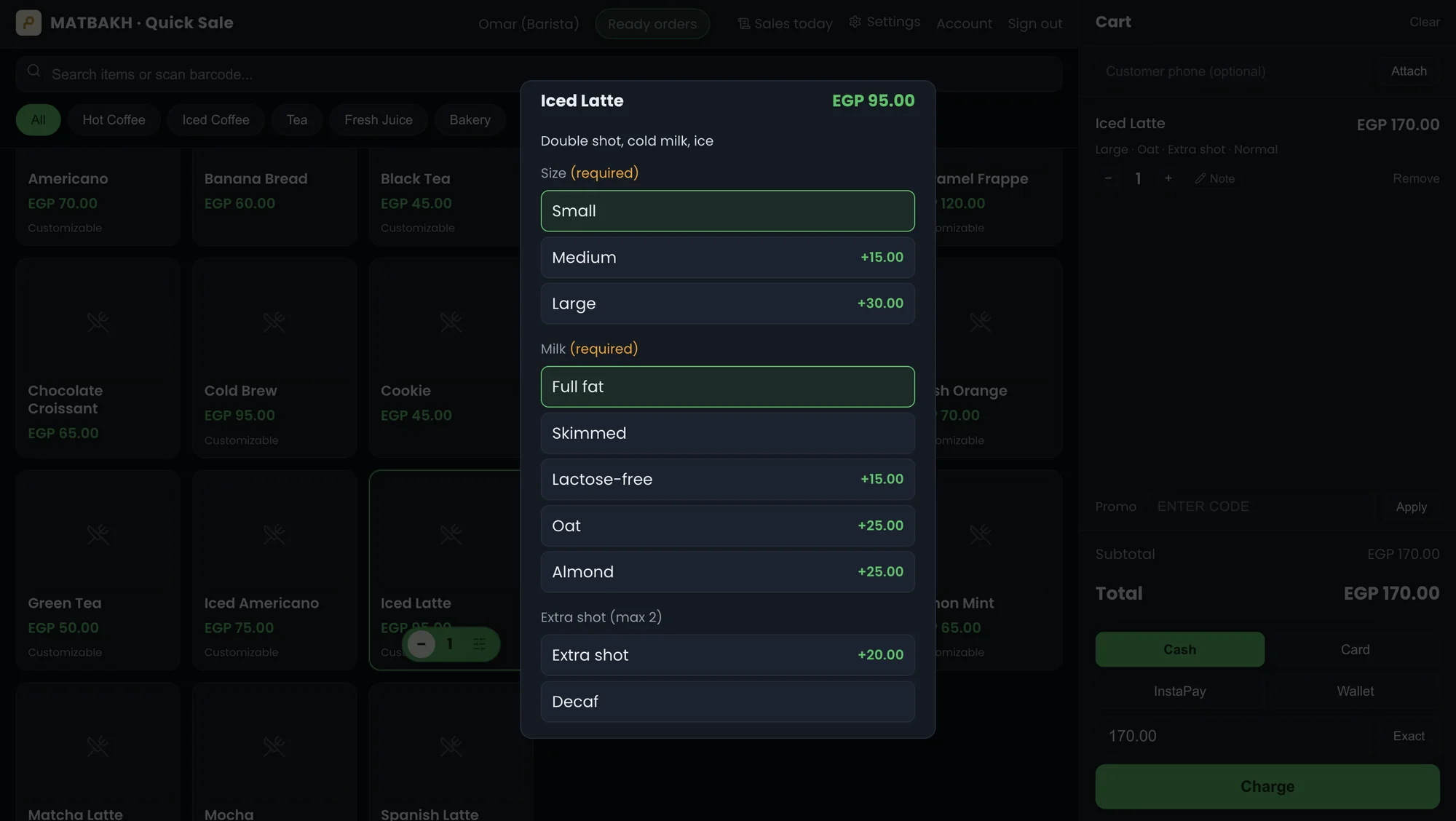
One counter or a small chain: the same system, with only the parts you bought switched on.
Size, milk, extra shot and syrup are modifiers your barista taps instead of writing down. Drinks appear on the bar screen (Standard), and the customer's receipt and the bar ticket print together on the same roll.
Every sale is marked eat-in or takeaway, so your closing report splits them for you. And customers can order ahead from their phone: they scan the QR, pick their items, pay at the counter and collect.
Retail mode: scan the barcode, stock counts down on its own, and you get a low-stock alert before a line runs out. Products and stock live on one screen.
Everything you need to run today's service and grow tomorrow's business - in one platform, no add-ons.
Attach any customer by phone at the register or on the QR ordering page. Points earn on the cash-equivalent of each check and redeem as a payment method. Owner sees lifetime spend, visit count, last visit, and a full ledger per guest.
Set up BOGO ("buy one get one"), combo bundles ("burger + fries + drink = EGP 60"), or multi-buy deals ("3 skewers for 90"). They apply themselves at the register. Codes stay available for staff-entered discounts with usage caps.
Every sale decrements raw stock through ingredient links - including modifier add-ons like cheese or sauce. Log waste with a reason and cost snapshot. Define batch recipes ("1 tray of ice cream = 10 scoops") and prepare them in one click.
Cash, card (manual terminal), InstaPay, mobile wallets (Fawry, Vodafone Cash), vouchers, loyalty points, promo discounts - all logged with the right method. Split one payment across multiple tenders. Tips tracked per payment, not folded into revenue.
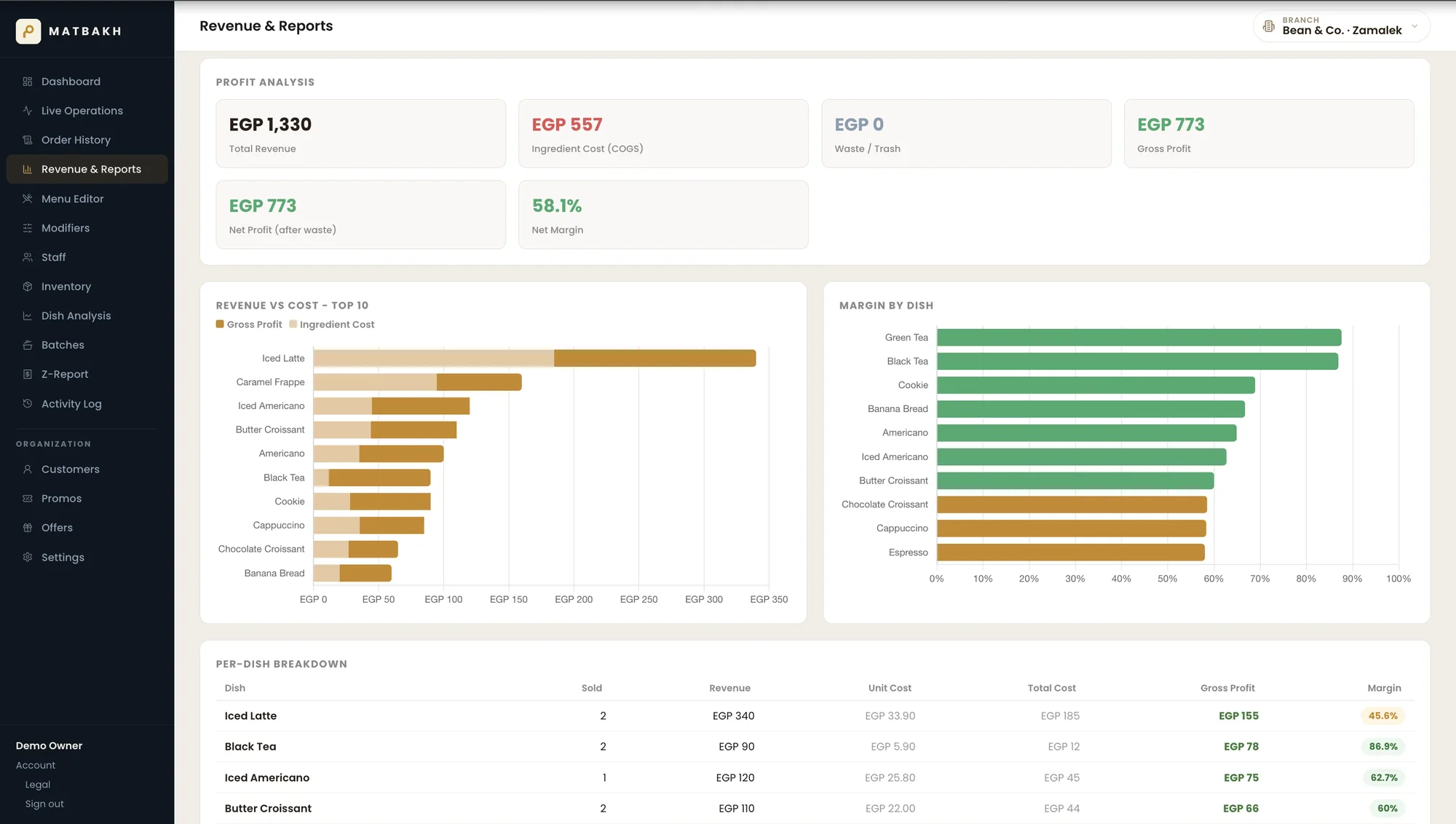
The owner's Profit page shows COGS, gross profit, and margin for every item sold - including the cost of chosen modifiers. See which "popular" dishes are actually losing money. Weighted-average costs re-compute automatically when supplier prices change.
End-of-shift report shows checks closed, offers applied, VAT and service collected, payment totals by method and by cashier, refunds, and tips. Drift against billed total stays at zero on a clean day - so cash-up takes a minute, not an hour.
Pick a built-in customer segment (Top 10% spenders, Never redeemed, Lapsed, First-timers) and compose a message with name & point placeholders. Matbakh generates one personalised WhatsApp link per customer - you click, send, done.
Each branch runs its own menu, stock, and staff. The owner switches between branches in one click or sees the whole chain rolled up. Import a menu from one branch into another. Transfer staff without re-creating accounts.
No hardware to buy from us. No complicated setup. No IT guy required.
We pick the service mode (counter, takeaway, or retail), load your menu, products and modifiers, and create your staff accounts. Live in under an hour, on a tablet you already own and any 80mm receipt printer.
Cashiers ring up sales on the Quick Sale screen, the bar or kitchen sees tickets live, customers order ahead by QR. No training sessions - the UI is one screen per role.
Revenue, profit per dish, peak hours, waste cost, loyalty growth, Z-report at close - everything on the owner's phone. Finally see which products pay the rent.
No commission per order, no hidden fees, no hardware to buy from us. Setup, onboarding and training included in every package.
One counter
Built for: Coffee carts, kiosks, juice bars, food stands and mini-markets. One counter, owner on site.
Included
Busy shops
Built for: Busy coffee shops and takeaway counters with a bar or kitchen and a team.
Everything in Lite, plus
2+ branches
Built for: Owners running two or more branches, chains and franchises.
Everything in Standard, plus
We'll build a custom package around your business. Pick the features you need, for as many branches as you run.
Send us your menu. We set it up, walk you through it on a call, and answer whatever you want to ask before you pay anything. No setup fee, no commission on your sales, and no hardware to buy from us.
Book a demo on WhatsAppNo setup fee · No commission · No hardware to buy